Session & context
Start, resume, branch, and control what Claude is holding in mind.
20-
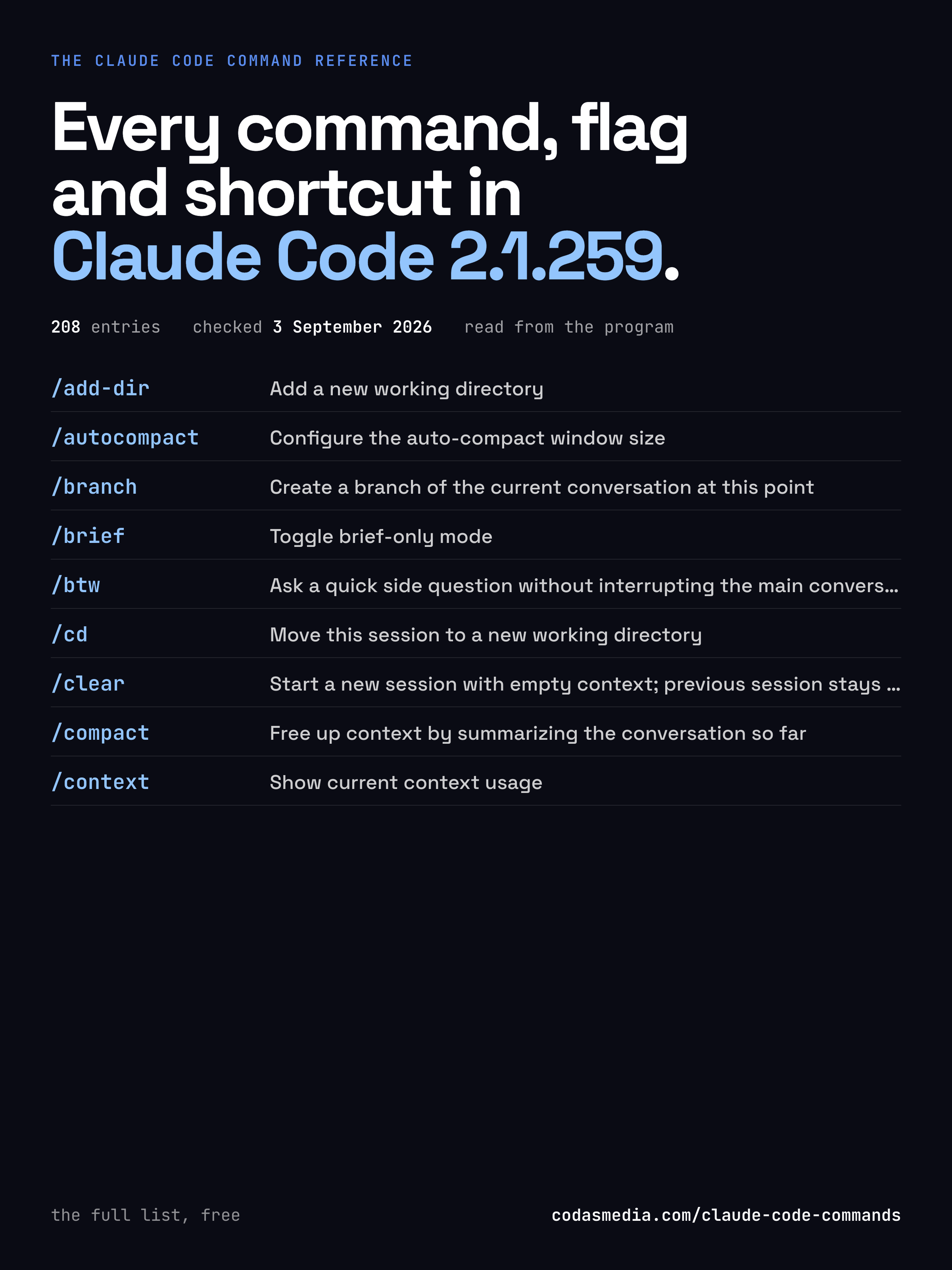
/add-dir<path>Add a new working directory -
/autocompact[auto|<tokens>]Configure the auto-compact window sizegated -
/branch[name]Create a branch of the current conversation at this point -
/briefToggle brief-only mode -
/btw[question]Ask a quick side question without interrupting the main conversation -
/cd<path>Move this session to a new working directory -
/clear[name]Start a new session with empty context; previous session stays on disk (resumable with /resume)also /reset, /new -
/compact<optional custom summarization instructions>Free up context by summarizing the conversation so far -
/contextShow current context usagegated -
/copyCopy Claude's last response to clipboard (or /copy N for the Nth-latest) -
/export[filename]Export the current conversation to a file or clipboard -
/focusToggle focus view: just your prompt, summary, and response -
/fork<directive>Spawn a background agent that inherits the full conversation -
/goalSet a goal — keep working until the condition is metgated -
/memoryEdit CLAUDE.md files and memory settings -
/pause-memoryPause automemory for this sessionalso /memory-pause, /toggle-memorygated -
/recapGenerate a one-line session recap now -
/rename[name]Rename the current conversationalso /name -
/resume[conversation id or search term]Resume a previous conversationalso /continue -
/rewindRestore the code and/or conversation to a previous pointalso /checkpoint, /undo
Model & effort
Which model answers, and how hard it thinks.
6-
/advisorLet Claude consult a stronger model at key momentsgated -
/effort]Set effort level for model usage -
/fast[on|off]Toggle fast mode: the same model, answering faster.gated -
/model<model>Set the AI model for Claude Codegated -
/plan[open|share|<description>]Enable plan mode or view the current session plan -
/ultraplan<prompt>Draft an editable plan in Claude Code on the web.
Code & review
Reading changes and getting them reviewed.
6-
/autofix-prMonitor and autofix any issues with the current PRgated -
/batch<instruction>Research and plan a large-scale change, then execute it in parallel across 5–30 isolated worktree agents that each open a PR.add-on -
/diffView uncommitted changes and per-turn diffs -
/initInitialize a new CLAUDE.md file with codebase documentationadd-on -
/install-github-appSet up Claude GitHub Actions for a repository -
/ultrareviewRun a cloud-hosted multi-agent code review of the current branch, or of a pull request, and print the findings.gated
Background & parallel work
Send work away, run several at once, pick it up elsewhere.
16-
/background[prompt]Send this session to the background and free the terminalalso /bg -
/cloud-pluginsChoose whether cloud sessions use the plugins enabled on this machine -
/daemonManage background services and routines -
/desktopContinue the current session in Claude Desktopalso /appgated -
/list-agentsList subagents, teammates, and other Claude sessions you can messagealso /peers -
/loopsList, create, and delete loops -
/mobileShow QR code to download the Claude mobile appalso /ios, /android -
/remote-control[name]Control this session from your phone or claude.ai/codealso /rcgated -
/remote-envChoose the default environment for cloud agentsgated -
/sessionShow cloud session URL and QR codealso /remotegated -
/stopStop this background session; transcript and worktree are kept -
/subtask<task>Send a subagent off with your full context; its result comes back here -
/tasksView and manage everything running in the backgroundalso /bashes -
/teleportSend this session to the cloud, or resume one from claude.aialso /tpgated -
/workflow-launch-execExecute a server-launched workflow handoff (workflow_launch event sessions only)gated -
/workflowsBrowse running and completed workflows
Skills, plugins & agents
Extending what Claude can do.
17-
/agents(removed) Ask Claude to create/manage subagents, or edit .claude/agents/ -
/artifactsBrowse your published and shared artifacts -
/designconsent | revokeGrant or revoke Claude agent access to your Design projects -
/design-consentGrant Claude agent access to your Design projectsgated -
/design-loginAuthorize design-system access for /design-sync with your claude.ai account -
/design-revokeRevoke Claude agent access to your Design projectsgated -
/design-syncPush your design system components to claude.ai/designadd-on -
/fewer-permission-promptsScan your transcripts for common read-only Bash and MCP tool calls, then add a prioritized allowlist to project .claude/settings.json to reduce permission prompts.add-on -
/insightsGenerate a report analyzing your Claude Code sessionsadd-on -
/pluginManage Claude Code pluginsalso /plugins, /marketplace -
/plugin-types[dir]Write claude-code.d.ts and claude-code-mcp.d.ts: the plugin API's TypeScript declarations and the inputs of the connected MCP tools, for typing a hooks module against this session -
/powerupDiscover Claude Code features through quick interactive lessons -
/reload-plugins[--force]Activate pending plugin changes in the current session -
/reload-skillsPick up skills added or changed on disk during this session -
/skill-doctorShow which loaded skills are unused and costing contextgated -
/skillsList available skills -
/team-onboardingHelp teammates ramp on Claude Code with a guide from your usagegatedadd-on
Integrations
Connecting Claude to the rest of your tools.
8-
/chromeOpen Claude in Chrome settings -
/ide[open]Manage IDE integrations and show status -
/import[codex|gemini] [--dry-run]Import config from another AI coding agentgated -
/install-slack-appInstall the Claude Slack app -
/mcp[reconnect|enable|disable [<server>|all]]Manage MCP serversgated -
/setup-bedrockReconfigure Amazon Bedrock authentication, region, or model pinsgated -
/setup-vertexReconfigure Google Vertex AI authentication, project, region, or model pinsgated -
/web-setupSet up Claude Code on the web with your GitHub accountgated
Configuration
Settings, appearance, keybindings, diagnostics.
24-
/auto-mode-setup[--request-id <uuid>] (--wizard posture=… scope=… depth=… --propose | --expect-sha256 <64-hex> --apply-file <path>)Teach auto mode about your environment, plus optional rule tweaksgated -
/colorSet the prompt bar color for this session -
/configkey=valueSet a setting by keyalso /settingsgated -
/debug[issue description]Enable debug logging for this session and help diagnose issuesadd-on -
/doctorHealth-check your setup and fix issues: installation, unused extensions, duplicated or bloated memory files, slow hooks, updates, permissionsalso /checkup -
/heapdumpDump the JS heap to ~/Desktopgated -
/hooksView hook configurations for tool events -
/install[options]Install Claude Code native build -
/keybindingsOpen your keyboard shortcuts file -
/permissionsManage allow and deny tool permission rulesalso /allowed-tools -
/privacy-settingsView and update your privacy settings -
/radioListen to Claude FM lo-fi radio -
/release-notesView release notes -
/sandboxcommand patternShow and change sandboxing for this session: whether commands run sandboxed, and what is allowed without asking.gated -
/scroll-speedAdjust mouse wheel scroll speed -
/statuslineSet up Claude Code's status line UIadd-on -
/stickersOrder Claude Code stickers -
/terminal-setupSet up the key binding for newlines in your terminal, and quiet the audible bell. -
/themeChange the theme -
/tui[default|fullscreen]Set the terminal UI renderer (default | fullscreen) -
/updateSwitch to the latest version (conversation continues)also /restartgated -
/versionShow this session's version (autoupdate may have a newer one) -
/voice[hold|tap|off]Toggle voice modegated -
/wellbeingConfigure optional break reminders and quiet-hours nudgesalso /breaks, /break-reminder, /downtime
Account & usage
Signing in, what you have spent, what is left.
14-
/bug[report]Report a bug or share your conversationalso /share -
/exitEnd the session.also /quit -
/extra-usageRenamed to /usage-creditsgated -
/feedback[report]Send feedback to Anthropic or report a bug -
/helpShow help and available commands -
/loginSign in with your Anthropic account -
/logoutSign out from your Anthropic account -
/passesShare a free week of Claude Code with friends and earn usage credits.gated -
/pro-trial-expiredOptions shown when the Pro plan Claude Code trial has endedgated -
/rate-limit-optionsShow options when rate limit is reachedgated -
/statusShow Claude Code status including version, model, account, API connectivity, and tool statuses -
/upgradeUpgrade to Max for higher rate limits and more Opus -
/usageShow session cost, plan usage, and what's contributing to your limitsalso /cost, /statsgated -
/usage-creditsConfigure usage credits or request them from your admin when you hit a limitgated -
/cost -
/stats -
/extra-usage
Shortcuts & symbols
Keys and characters, not commands.
14-
EscStop what Claude is doing, without ending the session. -
Esc EscOpen the rewind menu. -
Shift + TabCycle permission modes: normal, auto-accept, plan. -
TabToggle extended thinking. -
Ctrl + RSearch back through your command history. -
Ctrl + VPaste an image from the clipboard. -
Ctrl + LClear the terminal without clearing the conversation. -
Ctrl + CInterrupt. Twice to exit. -
Ctrl + DExit the session. -
@filenameReference a file or directory in your prompt. -
#contentAdd a line to CLAUDE.md without leaving the session. -
!commandRun a shell command directly and keep its output in context. -
"think harder"Raise effort for a single turn. -
"ultrathink"Maximum reasoning depth for a single turn.
Starting Claude from the terminal
Options and subcommands you type before the session begins.
83-
claude agents [options]Manage background agents -
claude attach <id>Open a background session in this terminal. <id> is the short id that `claude --bg` prints and `claude agents` lists -
claude authManage authentication -
claude auto-modeInspect or reset auto mode classifier configuration -
claude doctorCheck the health of your Claude Code installation. Reads settings files in the current directory without a trust prompt. For a full checkup that can also fix issues, run /doctor in a session. -
claude gateway [options]Run the enterprise auth/telemetry gateway -
claude import [options] [source]Import config from another AI coding agent into Claude Code -
claude install [options] [target]Install Claude Code native build. Use [target] to specify version (stable, latest, or specific version) -
claude logs <id>Print a background session's recent terminal output -
claude mcpConfigure and manage MCP servers -
claude plugin|pluginsManage Claude Code plugins -
claude projectManage Claude Code project state -
claude respawn [options] [id]Restart a background session, or all of them with --all, so it runs the current Claude Code version -
claude rm <id>Delete a background session, and its worktree when that is safe. Works on sessions that have already exited -
claude setup-tokenSet up a long-lived authentication token (requires Claude subscription) -
claude stop|kill <id>Stop a background session. Its conversation is kept: `claude attach <id>` opens it again, `claude --resume` works once it is stopped -
claude ultrareview [options] [target]Run a cloud-hosted multi-agent code review of the current branch (or a PR number / base branch) and print the findings -
claude update|upgradeCheck for updates and install if available -
--add-dir <directories...>Additional directories to allow tool access to -
--agent <agent>Agent for the current session. Overrides the 'agent' setting. -
--agents <json>JSON object defining custom agents (e.g. '{"reviewer": {"description": "Reviews code", "prompt": "You are a code reviewer"}}') -
--allow-dangerously-skip-permissionsEnable bypassing all permission checks as an option, without it being enabled by default. Recommended only for sandboxes with no internet access. -
--allowedTools, --allowed-tools <tools...>Comma or space-separated list of tool names to allow (e.g. "Bash(git *) Edit") -
--append-system-prompt <prompt>Append a system prompt to the default system prompt -
--autocompact <auto|tokens>Auto-compact window size (auto, or 100k–1M tokens) -
--ax-screen-readerRender screen-reader friendly output (flat text, no decorative borders or animations). -
--bg, --backgroundStart the session in the background and return immediately. Prints the id that `claude attach`, `logs`, `stop` and `rm` take; `claude agents` lists them. With --resume <session-id>, continues that session in the background under the same ID, or starts a copy and says so when the session is already running -
--bareMinimal mode: skip hooks, LSP, plugin sync, attribution, auto-memory, background prefetches, keychain reads, and CLAUDE.md auto-discovery. Sets CLAUDE_CODE_SIMPLE=1. Anthropic auth is strictly ANTHROPIC_API_KEY or apiKeyHelper via --settings (OAuth and keychain are never read). 3P providers (Bedrock/Vertex/Foundry) use their own credentials. Skills still resolve via /skill-name. Explicitly provide context via: --system-prompt[-file], --append-system-prompt[-file], --add-dir (CLAUDE.md dirs), --mcp-config, --settings, --agents, --plugin-dir. -
--betas <betas...>Beta headers to include in API requests (API key users only) -
--briefEnable SendUserMessage tool for agent-to-user communication -
--chromeEnable Claude in Chrome integration -
--cloud [description|session_id|url]Create a cloud session with the given description, or attach to an existing one by session ID or claude.ai/code URL -
-c, --continueContinue the most recent conversation in the current directory -
--dangerously-skip-permissionsBypass all permission checks. Recommended only for sandboxes with no internet access. -
-d, --debug [filter]Enable debug mode with optional category filtering (e.g., "api,hooks" or "!1p,!file") -
--debug-file <path>Write debug logs to a specific file path (implicitly enables debug mode) -
--disable-slash-commandsDisable all skills -
--disallowedTools, --disallowed-tools <tools...>Comma or space-separated list of tool names to deny (e.g. "Bash(git *) Edit") -
--effort <level>Effort level for the current session (low, medium, high, xhigh, max) -
--environment <environment_id>Create a new cloud session that runs on the given self-hosted environment (ccpool_...). -
--exclude-dynamic-system-prompt-sectionsMove per-machine sections (cwd, env info, memory paths, git status) from the system prompt into the first user message. Improves cross-user prompt-cache reuse. Only applies with the default system prompt (ignored with --system-prompt). (default: false) -
--fallback-model <model>Enable automatic fallback to specified model(s) when the default model is overloaded or not available. Accepts a comma-separated list to try each in order. Re-tries the primary at the start of each user turn. (only works with --print) -
--file <specs...>File resources to download at startup. Format: file_id:relative_path (e.g., --file file_abc:doc.txt file_def:img.png) -
--fork-sessionWhen resuming, create a new session ID instead of reusing the original (use with --resume or --continue) -
--forward-subagent-textForward subagent text and thinking blocks as assistant/user messages with parent_tool_use_id set (only works with --print and --output-format=stream-json) -
--from-pr [value]Resume a session linked to a PR by PR number/URL, or open interactive picker with optional search term -
-h, --helpDisplay help for command -
--ideAutomatically connect to IDE on startup if exactly one valid IDE is available -
--include-hook-eventsInclude all hook lifecycle events in the output stream (only works with --output-format=stream-json) -
--include-partial-messagesInclude partial message chunks as they arrive (only works with --print and --output-format=stream-json) -
--input-format <format>Input format (only works with --print): "text" (default), or "stream-json" (realtime streaming input) (choices: "text", "stream-json") -
--json-schema <schema>JSON Schema for structured output validation. Example: {"type":"object","properties":{"name":{"type":"string"}},"required":["name"]} -
--max-budget-usd <amount>Maximum dollar amount to spend on API calls (only works with --print) -
--mcp-config <configs...>Load MCP servers from JSON files or strings (space-separated) -
--model <model>Model for the current session. Provide an alias for the latest model (e.g. 'fable', 'opus', or 'sonnet') or a model's full name (e.g. 'claude-fable-5'). -
-n, --name <name>Set a display name for this session (shown in the prompt box, /resume picker, and terminal title) -
--no-chromeDisable Claude in Chrome integration -
--no-session-persistenceDisable session persistence - sessions will not be saved to disk and cannot be resumed (only works with --print) -
--output-format <format>Output format (only works with --print): "text" (default), "json" (single result), or "stream-json" (realtime streaming) (choices: "text", "json", "stream-json") -
--permission-mode <mode>Permission mode to use for the session (choices: "acceptEdits", "auto", "bypassPermissions", "manual", "dontAsk", "plan") -
--permission-prompts <target>Who answers permission prompts with --print: "host" (the SDK host or --permission-prompt-tool) or "none" (nobody: anything that would prompt is denied automatically; the permission mode still decides everything else) (choices: "host", "none", default: "host") -
--plugin-dir <path>Load a plugin from a directory or .zip for this session only (repeatable: --plugin-dir A --plugin-dir B.zip) (default: []) -
--plugin-url <url>Fetch a plugin .zip from a URL for this session only (repeatable: --plugin-url A --plugin-url B) (default: []) -
-p, --printPrint response and exit (useful for pipes). Note: The workspace trust dialog is skipped when Claude is run in non-interactive mode (via -p, or when stdout is not a TTY, e.g. piped or redirected output). Only use this in directories you trust. Settings files that fail validation are silently ignored in this mode (no error dialog is shown). -
--prompt-suggestions [value]Enable prompt suggestions. In print/SDK mode, emits a prompt_suggestion message after each turn with a predicted next user prompt (choices: "true", "false", "1", "0", "yes", "no", "on", "off", preset: "true") -
--remote-control [name]Start an interactive session with Remote Control enabled (optionally named) -
--remote-control-session-name-prefix <prefix>Prefix for auto-generated Remote Control session names (default: hostname) -
--replay-user-messagesRe-emit user messages from stdin back on stdout for acknowledgment (only works with --input-format=stream-json and --output-format=stream-json) -
--restrictedRestricted mode: removes the built-in tools that run commands or code (Bash, PowerShell, REPL and the other code-running tools) and WebFetch unless --tools names them, and ignores user, project and local settings files (managed settings and --settings still apply; add --strict-mcp-config to skip MCP servers too). Also confines the file tools to the working directories (--add-dir included), refuses bypassPermissions, and lets only a person or the configured permission handler approve writes to settings, git and tool-configuration files. -
-r, --resume [value]Resume a conversation by session ID, or open interactive picker with optional search term -
--safe-modeStart with all customizations (CLAUDE.md, skills, plugins, hooks, MCP servers, custom commands and agents, output styles, workflows, custom themes, keybindings, and more) disabled — useful for troubleshooting a broken configuration. Admin-managed (policy) settings still apply. Auth, model selection, built-in tools, and permissions work normally. Sets CLAUDE_CODE_SAFE_MODE=1. -
--session-id <uuid>Use a specific session ID for the conversation (must be a valid UUID) -
--setting-sources <sources>Comma-separated list of setting sources to load (user, project, local). -
--settings <file-or-json>Path to a settings JSON file or a JSON string to load additional settings from -
--strict-mcp-configOnly use MCP servers from --mcp-config, ignoring all other MCP configurations -
--system-prompt <prompt>System prompt to use for the session -
--system-prompt-snapshot <on|off>Record the system prompt once per conversation and reuse it verbatim on every request and resume (recommended: on). By default it is on for the built-in prompt, and passing --system-prompt or --append-system-prompt turns it off so the given text applies fresh each launch. on: an existing record in the conversation is sent as-is (a later launch's different --system-prompt/--append-system-prompt is ignored until compaction); otherwise the prompt is rendered with the append included, sent, and recorded. off: never record. No effect where system-prompt recording is not yet enabled. (choices: "on", "off") -
--teleport [session]Resume a teleport session, optionally specify session ID -
--tmuxCreate a tmux session for the worktree (requires --worktree). Uses iTerm2 native panes when available; use --tmux=classic for traditional tmux. -
--tools <tools...>Specify the list of available tools from the built-in set. Use "" to disable all tools, "default" to use all tools, or specify tool names (e.g. "Bash,Edit,Read"). -
--verboseOverride verbose mode setting from config -
-v, --versionOutput the version number -
-w, --worktree [name]Create a new git worktree for this session (optionally specify a name)
Nothing matches that. Try a shorter word.